From First-Time Coders to a Working Prototype
After eight weeks of learning, debugging and building, our students reached an important milestone: a working prototype of the Youth Job Bank.
Many of our students entered the program with little or no experience building software. Over the course of eight weeks, we worked through HTML, CSS, Python, Django, databases, GitHub, Agile development and the debugging process that connects all of those pieces together.
For the final portion of the program, we brought those skills together and began building something much larger: a Youth Job Bank.
About 50% of a working prototype
By the end of our eight weeks, we estimated that we had completed roughly 50% of the prototype. It was not ready to be launched publicly, but the major pieces of a real database-backed application were beginning to work together.
What We Managed to Build
This was no longer a collection of individual HTML exercises. By the end of the project, students had started building many of the same components found in a real web application.
Turning Database Records Into a Website
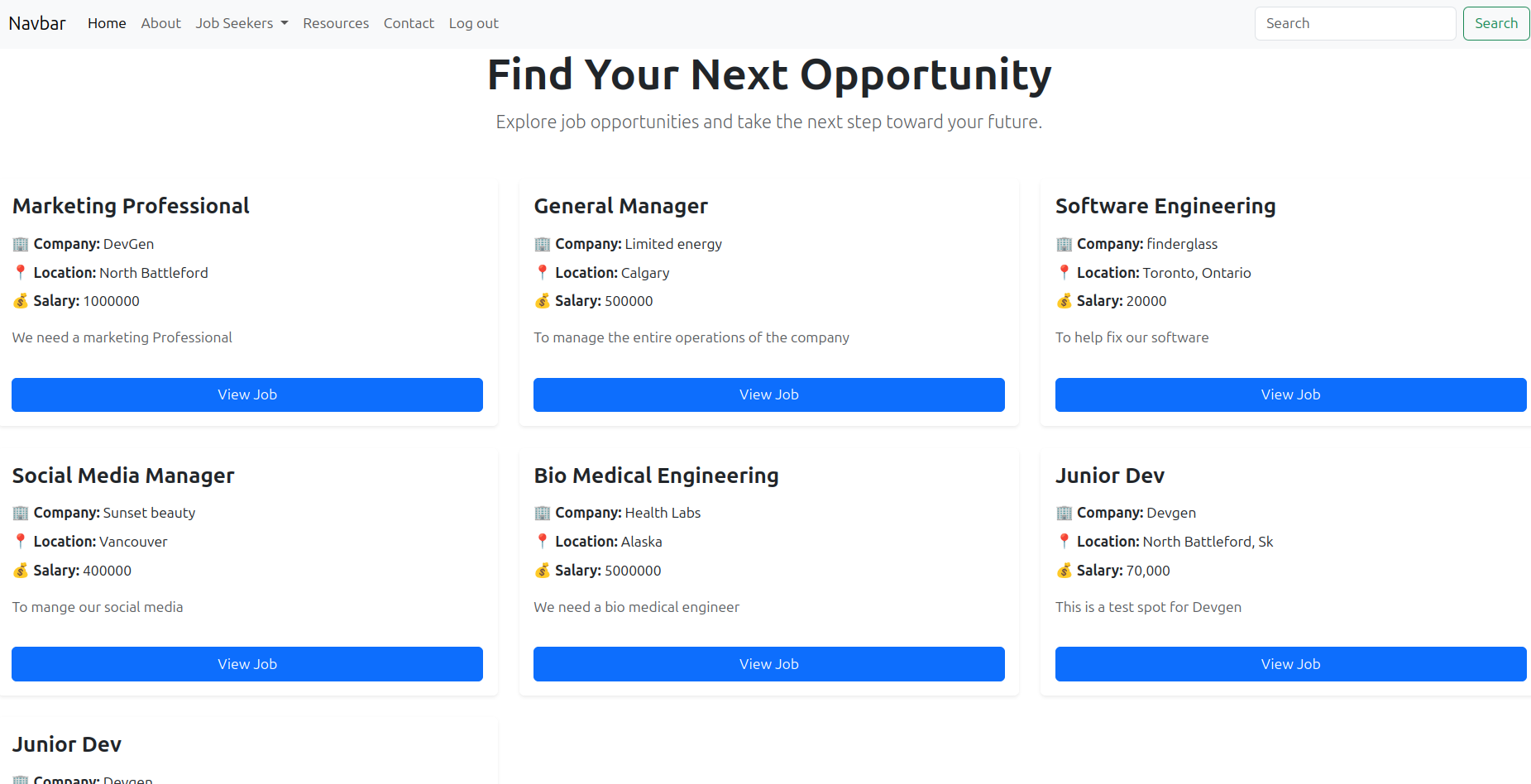
One of the biggest milestones was our job listing page.
Instead of creating a separate piece of HTML for every job, Django could retrieve job records from the database and use the same template to display each one. That is an important transition from building a static website to building a dynamic web application.
It Was Starting to Feel Like a Real Product
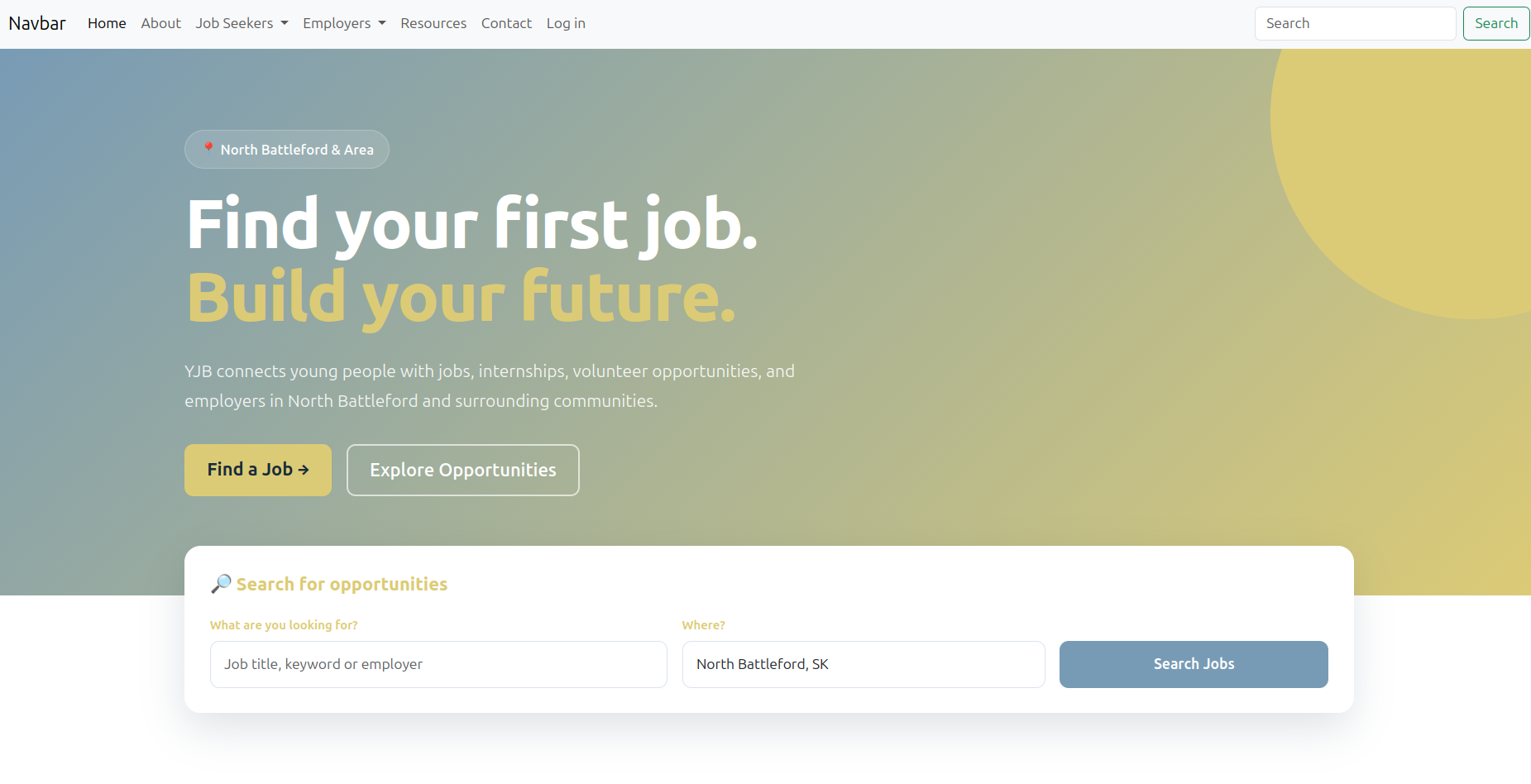
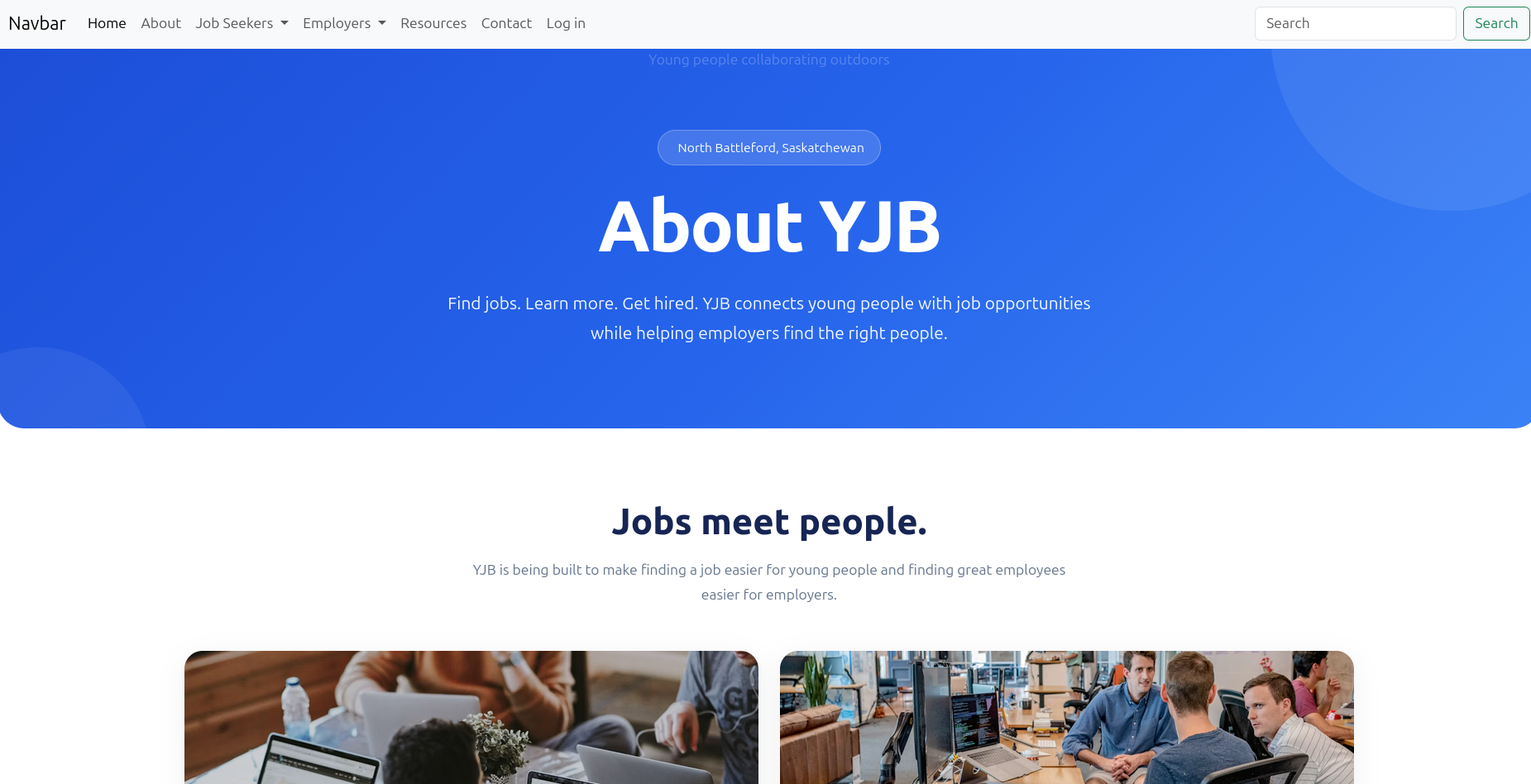
Some sections of the website received enough styling that the project was beginning to develop its own identity.
Our homepage and About page were good examples. They were no longer simply demonstrating whether the backend worked. We were beginning to think about layout, messaging, usability and how someone would actually experience the application.
Functionality Came Before Polish
Other areas showed exactly where we ran out of time.
The employer registration form, for example, was functional but had not yet received the CSS and Bootstrap styling that we would have wanted for a finished product.
That actually demonstrates something important about software development: working functionality and visual polish are separate stages of the process.
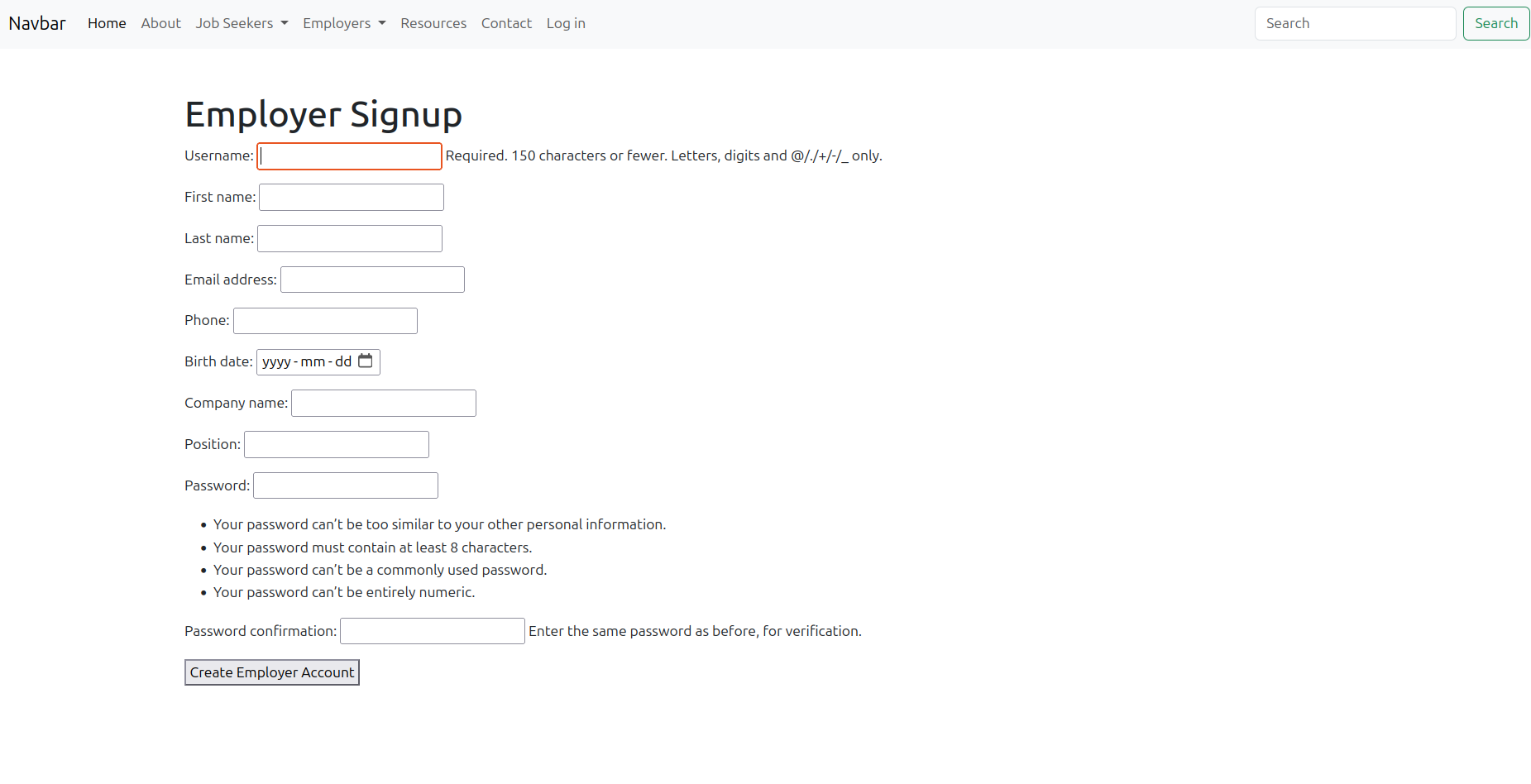
The employer registration workflow was working, but the page still needed frontend styling.
Authentication Was Working Too
Users were also able to log into the application. That may look simple from the browser, but it introduces an important backend concept.
Once users can authenticate, our application can begin answering two different questions:
- Who is this user?
- What should this user be allowed to do?
Those questions become especially important when one user is an employee looking for work and another is an employer posting jobs.
Our development login screen. The application was still running locally rather than on a secured production server.
We Built Around the Core Application Too
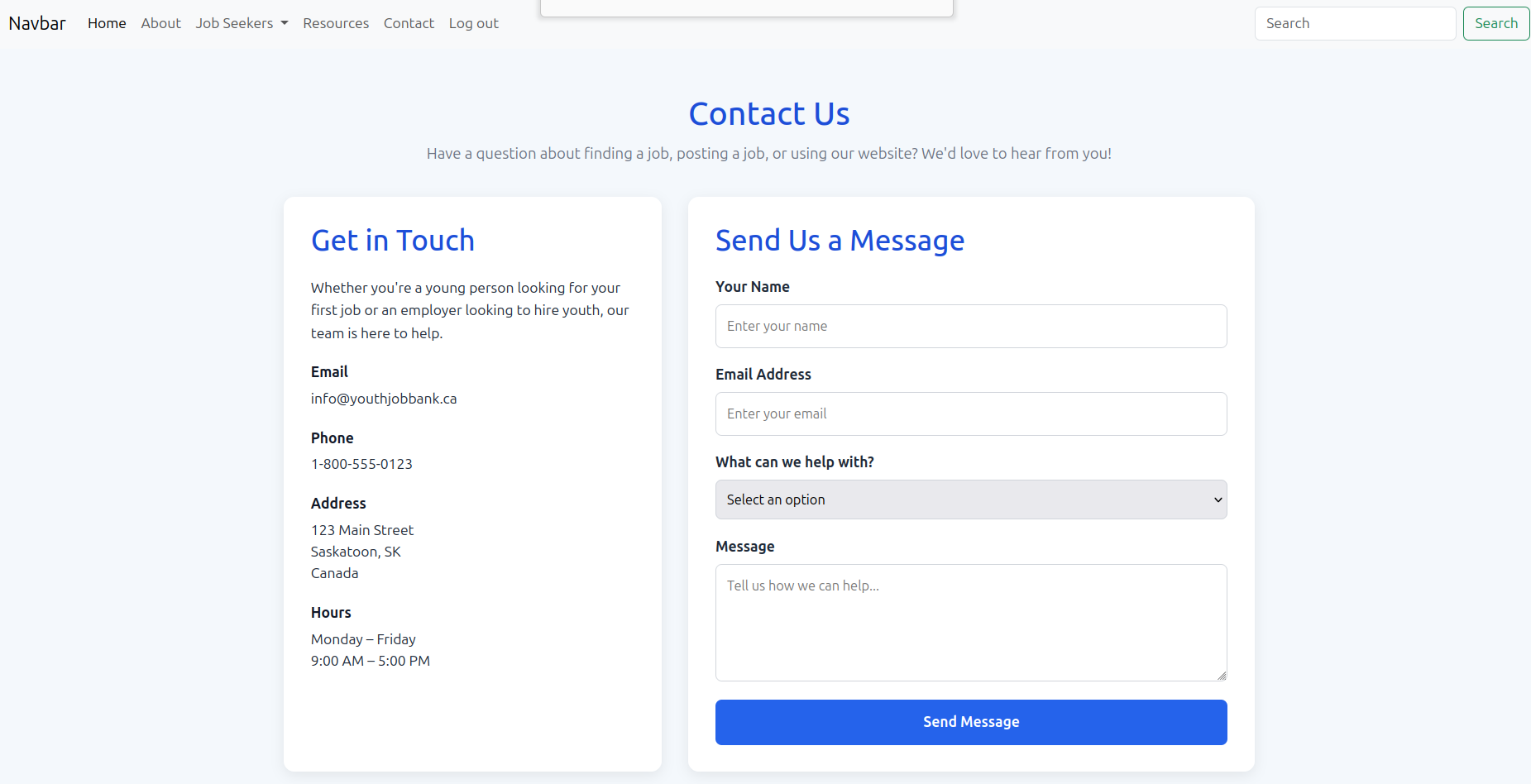
We also created supporting sections of the website such as the About and Contact pages. These helped students see that a complete application is made up of many smaller pieces working together.
Prototype Is Not the Same as Production
One of the last lessons of the project was understanding just how much work exists between "it works on my computer" and "real people can safely use this."
If we wanted to turn our Youth Job Bank prototype into an actual public service, development would continue in several areas.
1. Hosting and Deployment
We would need to secure a server, configure a production environment, connect the website to hosting, configure a domain and HTTPS, protect credentials and create a proper backup strategy.
2. Validation
Forms would need stronger validation to make sure users cannot submit missing, malformed or unexpected data. Error messages would also need to clearly explain what needs to be corrected.
3. Employer Dashboards
Employers would need views for managing their own job postings and reviewing the people who applied to them.
We could also begin adding useful statistics such as:
- Number of applicants
- Job views
- Application rates
- Active and closed postings
- Applicant status
4. A Complete Application Workflow
Job seekers would need the ability to actually apply for a position. Eventually this could include resumes, applicant profiles, application history and status updates.
5. Permissions and Security
We would need to make sure employers could only modify their own jobs, applicants could only access information intended for them, and private user information was properly protected.
6. More Frontend Polish
Several pages still required CSS work. A production version would need consistent forms, mobile layouts, navigation, accessibility improvements and a final design pass throughout the application.
There Was Still Plenty Left to Do
That is an important part of the story.
We did not finish a commercial job platform in eight weeks. That was never a realistic expectation.
What we did accomplish was taking a group of young, largely first-time developers through the process of turning an idea into a substantial working prototype.
They experienced much more than simply writing a few lines of code.
- They wrote code that worked.
- They wrote code that did not work.
- They learned how to read errors and debug problems.
- They worked with a database.
- They connected frontend pages to backend logic.
- They created and authenticated users.
- They dynamically displayed information from Django.
- They used GitHub and began working like a development team.
- They saw how a larger application can be divided into smaller problems.
For eight weeks with young, first-time developers, reaching roughly 50% of a functioning prototype was a significant accomplishment.
There is a large distance between a prototype and a production application. There is also a large distance between having an idea and proving that you can build it. Our students crossed that second distance.
Learn. Build. Launch.
That brings our eight-week development program to a close.
We started by learning how individual pieces of technology work. We finished by seeing how those pieces can be assembled into software that solves a real problem.
Eight weeks, plenty of debugging, and one very promising Youth Job Bank prototype.
In this series
- 1. Lesson 1: Thinking Like a Builder
- 2. Lesson 2: Building Our First Multi-Page Website with HTML and CSS
- 3. Lesson 3: Beginning Programming with Python
- 4. Helper text
- 5. Lesson 4: Connecting Some Dots
- 6. Lesson 5: The Team Environment and a Taste of Embedded
- 7. Lesson 6: From Databases to Development Teams: MySQL, GitHub and Agile
- 8. Lesson 8: Debugging Is Development: Learning How to Fix What Breaks
- 9. Lesson 9: Building a Real Django Application: The Youth Job Bank
- 10. From First-Time Coders to a Working Prototype